For GPLClub Updater to work, you need to generate a license for each domain where you'll use it.
Step 1: Get your License
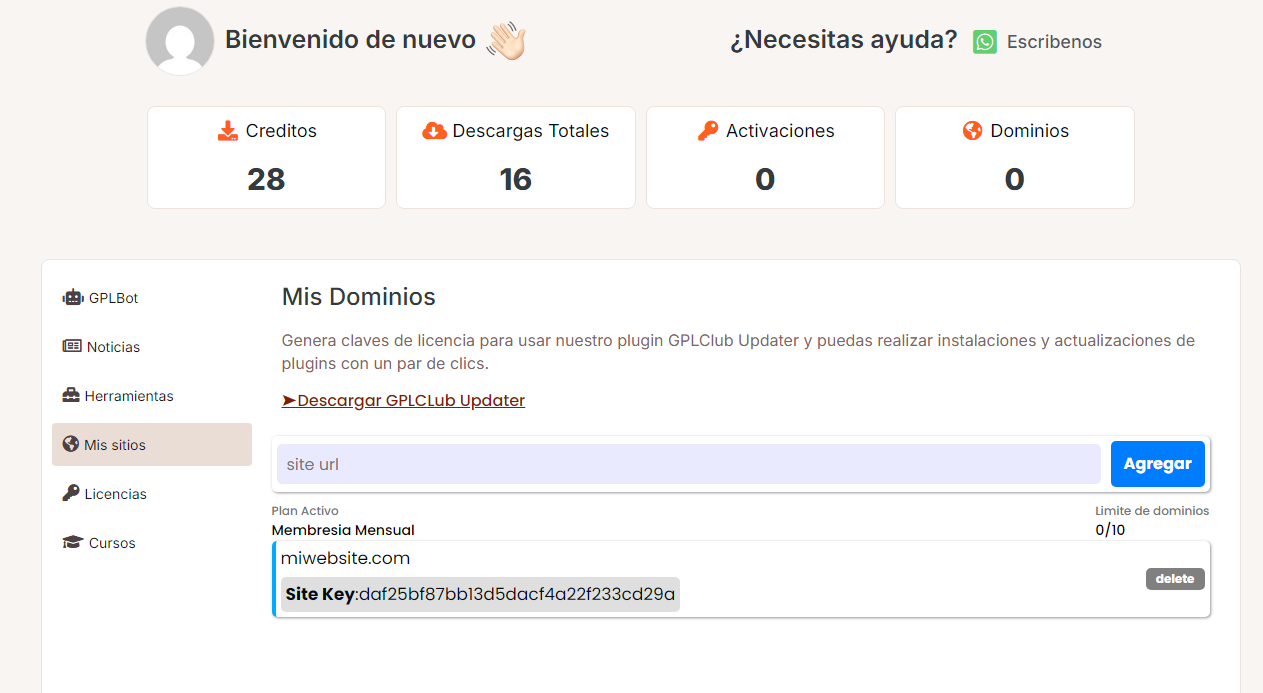
Log in to gplclub.com/panel.
gplclub.com/panel
Go to the "My Domains" tab.
There you can generate or copy your License Key (API Key).
Step 2: Activate in WordPress
Download and install the GPLCLUB Updater plugin (available in your downloads panel).
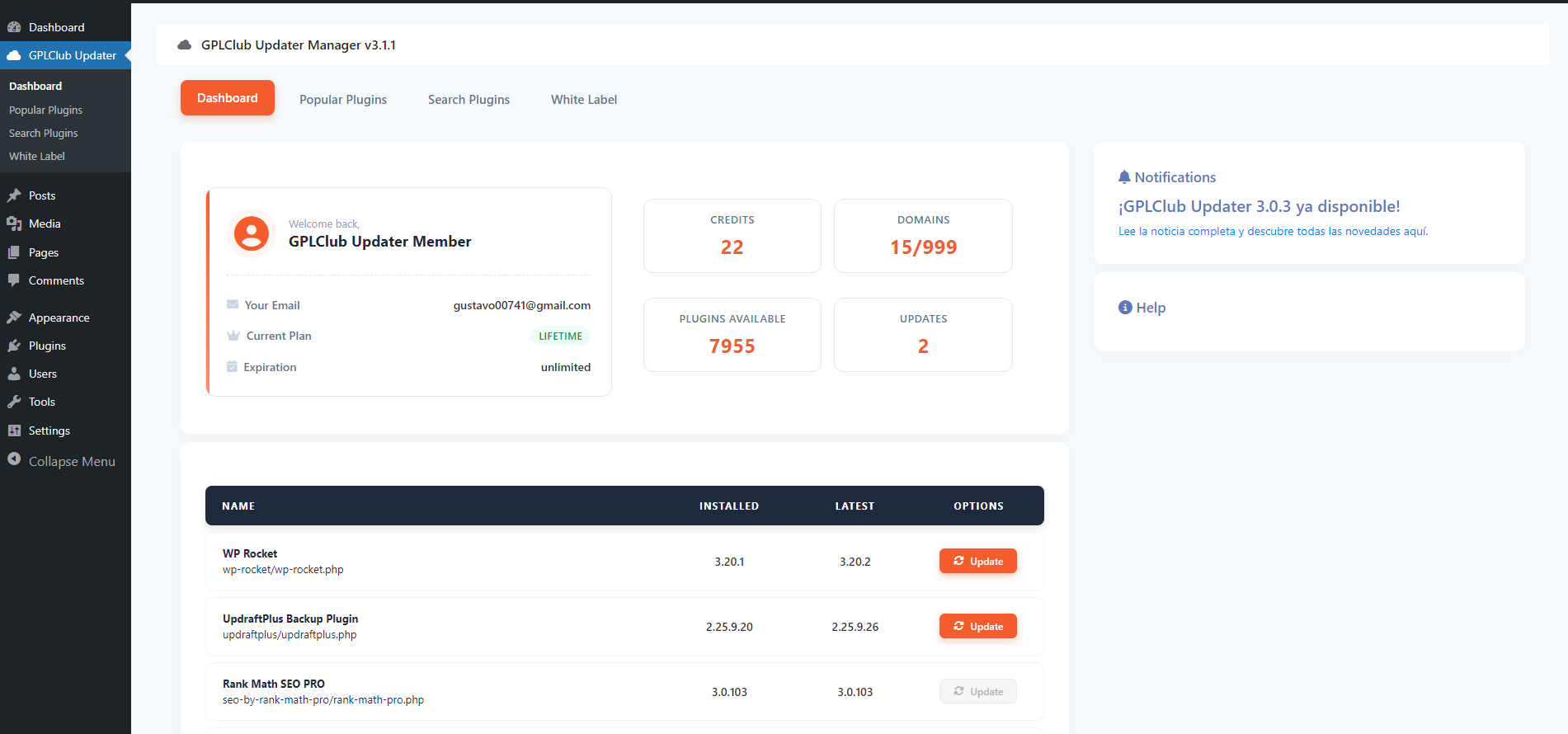
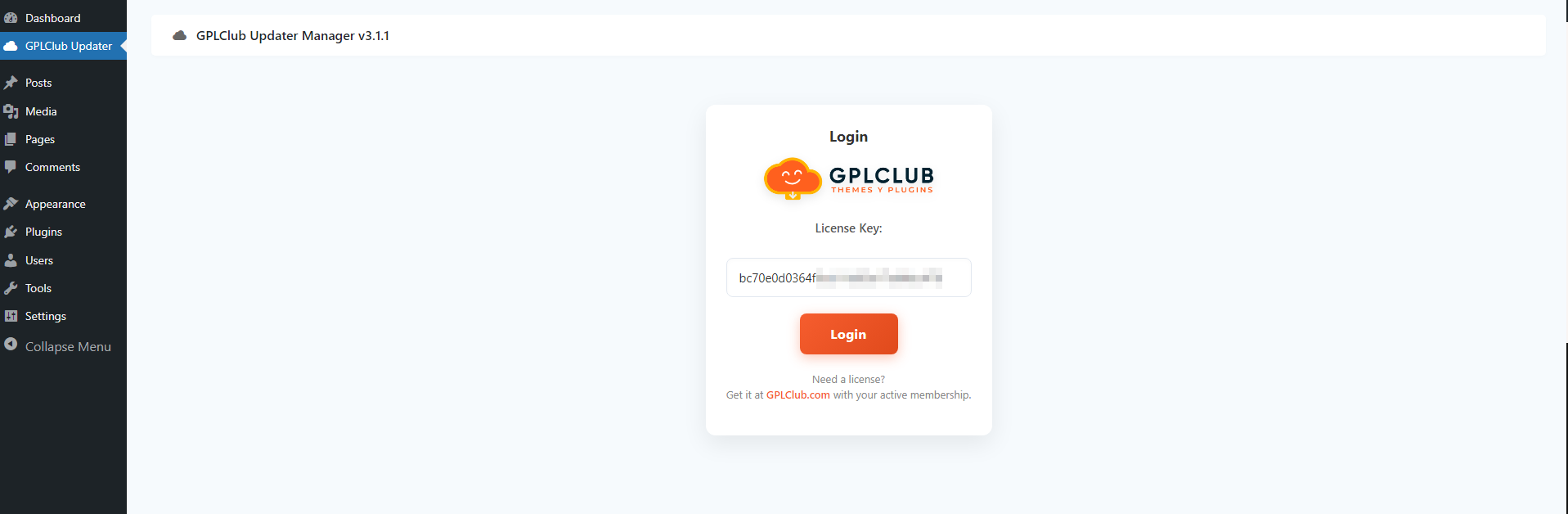
In your WordPress menu, a new tab called GPLCLUB will appear.
Paste your License Key in the corresponding field and save the changes.
Done! Your site is now connected.
Última actualización hace 3 horas