> For the complete documentation index, see [llms.txt](https://docs.gplclub.com/llms.txt). Markdown versions of documentation pages are available by appending `.md` to page URLs; this page is available as [Markdown](https://docs.gplclub.com/en/gplclub-updater/installation-and-connection.md).
# Installation and connection
Generate a key for your site, install GPLClub Updater, and connect it to your account.
To use GPLClub Updater on a site, you need to generate a key for its domain, install the plugin, and connect it with that key. You do this once per site, and it requires an active membership.
## Generate the site key
Each domain has its own key. The plugin calls it **License Key**, and your GPLClub account calls it **sitekey**.
To generate a key from the GPLClub dashboard:
1. In the GPLClub dashboard, go to **Tools >** [**GPLClub Updater**](https://dashboard.gplclub.com/dashboard/mis-sitios).
2. Enter the site's domain and select **Add**.
3. On the added site, select **Copy key**.
You can also generate the key on the website, in [My account > Sites](https://gplclub.com/en/my-account/sitios/), with the **Generate sitekey** button.
{% hint style="info" %}
The domain must match the site's address. `example.com`, `www.example.com`, and `staging.example.com` are different sites, and each one needs its own key.
{% endhint %}
## Install the plugin
1. Download GPLClub Updater from [the product page](https://gplclub.com/en/producto/gplclub-updater/). The download uses 1 credit.
2. In WordPress, go to **Plugins > Add Plugin** and select **Upload Plugin**.
3. Choose the .zip file and select **Install Now**.
4. Select **Activate Plugin**.
For more information, refer to [Installation via WordPress](/en/catalog-and-downloads/install-in-wordpress.md).
## Connect the plugin
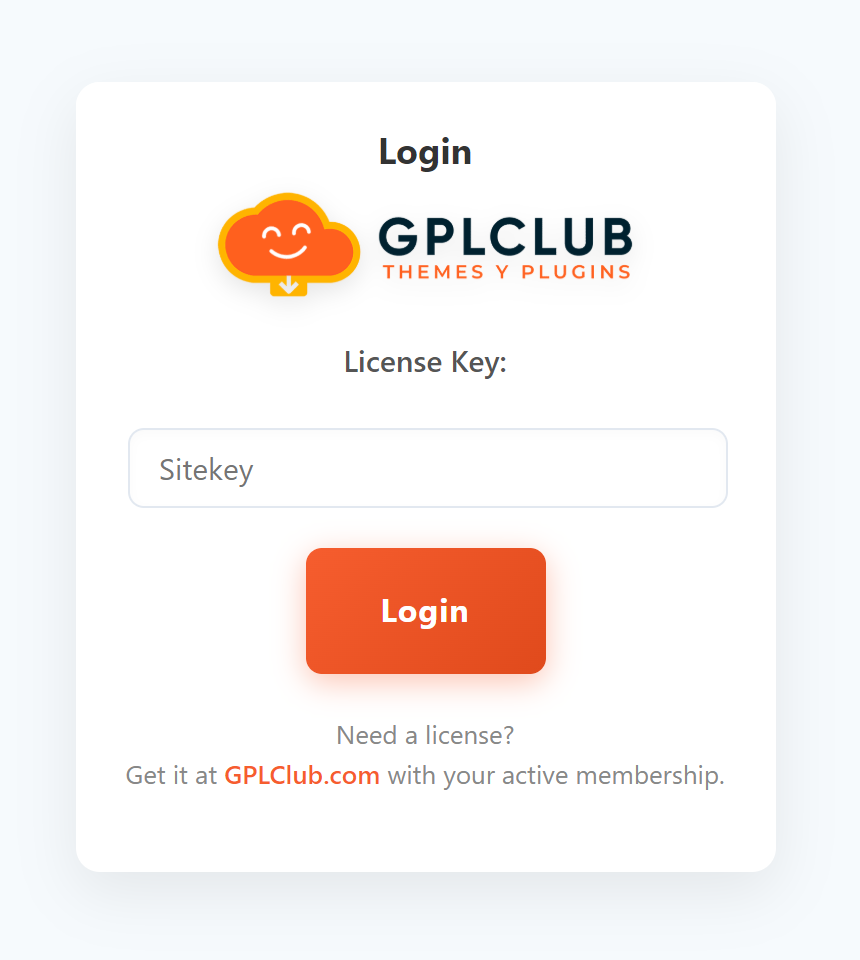
1. In the WordPress menu, go to **GPLClub Updater**.
2. In **License Key**, paste the site key and select **Login**.
Once connected, the Updater opens its Dashboard and adds the **Popular Plugins**, **Search Plugins**, **White Label**, and **Rollbacks** pages to the menu.
{% hint style="info" %}
Deactivating the plugin closes the connection. To reconnect, enter the key again. The key remains valid as long as the site is not removed from your account.
{% endhint %}
## Troubleshooting
Some of these messages are returned by the server in Spanish.
| Message | Cause | Solution |
| ------------------------------------------------- | ------------------------------------------------------------------------------------------- | --------------------------------------------------------------------------------------------------------- |
| `Invalid site key` | The key is incorrect, belongs to another domain, or the site was removed from your account. | Copy the domain's key again. If you removed the site, add it again to generate a new key. |
| `Este dominio no esta registrado en tu cuenta` | The key belongs to another domain. | Generate a key for the site's exact domain. |
| `no hay plan activo` | The membership expired or was canceled. | [Renew your membership](/en/membership-and-account/plans-and-pricing.md). The existing key works again. |
| `Error in current session, try logging in again.` | The site was removed from your account. | Add the site again and connect the plugin with the new key. |
| `You can't add more sites` | You reached your plan's site limit. | Remove a site or upgrade your plan. Refer to [Sites and limits](/en/gplclub-updater/sites-and-limits.md). |
If the problem persists, [contact support](/en/support-and-legal/contact-us.md) with the domain and the error message.