> For the complete documentation index, see [llms.txt](https://docs.gplclub.com/llms.txt). Markdown versions of documentation pages are available by appending `.md` to page URLs; this page is available as [Markdown](https://docs.gplclub.com/en/catalog-and-downloads/install-in-wordpress.md).
# Install in WordPress
Install the plugins and themes downloaded from the catalog in WordPress, and import template kits.
Catalog plugins and themes are installed like any other: by uploading the .zip file from the WordPress dashboard. Template kits are imported with GPLClub Kit Importer. To install plugins without downloading files, refer to [Install products from WordPress](/en/gplclub-updater/install-products-from-wordpress.md).
## Install a plugin
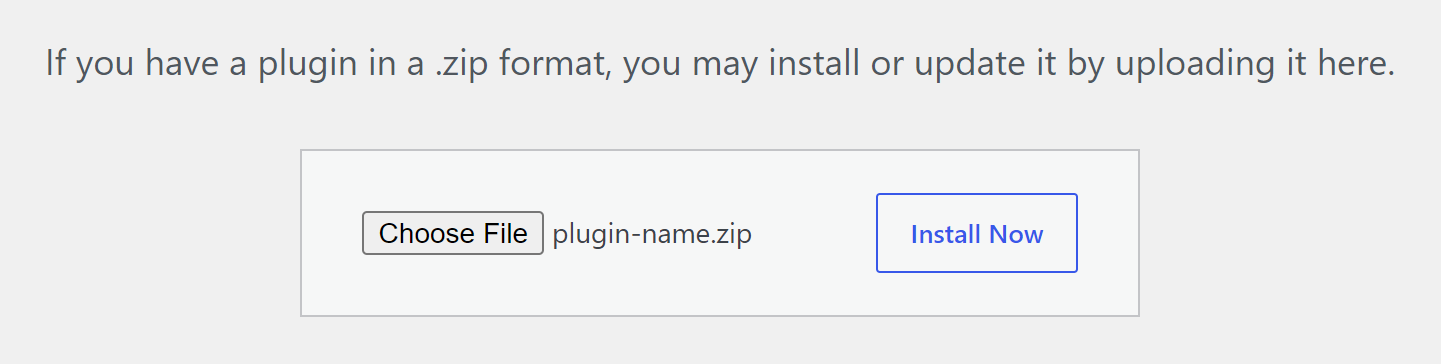
To install a plugin:
1. In the WordPress menu, go to **Plugins > Add Plugin** and select **Upload Plugin**.
2. Choose the downloaded .zip file and select **Install Now**.
3. Select **Activate Plugin**.
## Install a theme
To install a theme:
1. In the WordPress menu, go to **Appearance > Themes**, select **Add Theme**, and then **Upload Theme**.
2. Choose the downloaded .zip file and select **Install Now**.
3. Select **Activate**.
Some themes are downloaded as a full package: a .zip that contains the documentation, the theme, the child theme, and other plugins, each in its own .zip. The package cannot be installed directly. Unzip it and upload the theme's .zip. GPLClub Updater installs and updates these themes without going through the package.
## Import a template kit
Template kits are sets of Elementor templates. They are not installed as a plugin or a theme: they are imported with GPLClub Kit Importer, GPLClub's plugin for template kits.
Requirements:
* Elementor installed and active. Some kits also need Elementor Pro; the importer warns you when it loads the kit.
* The kit's .zip file as downloaded, without unzipping it.
* GPLClub Kit Importer installed and active. [Download it here](https://gplstock.nyc3.digitaloceanspaces.com/gplclub-kit-importer-8.1.0.zip) and install it like any other plugin.
GPLClub Kit Importer is only available in Spanish. The steps show its labels as they appear on screen, followed by their meaning.
To import a template kit:
1. In the WordPress menu, go to **GPLClub Kits**.
2. Choose the kit's .zip file and select **Procesar Archivo** (Process file).
3. Under **Estilos Globales** (Global styles), select **Aplicar Estilos Ahora** (Apply styles now) to apply the kit's colors and fonts to the whole site.
4. Select **Importar Todo** (Import all), or **Importar** (Import) on each template you want.
Imported templates are added to the Elementor template library. To use one, create a page, edit it with Elementor, and insert the template from the library.
{% hint style="warning" %}
**Aplicar Estilos Ahora** replaces the site's global colors and fonts. Apply them on a new site or make a backup first.
{% endhint %}
## Update manually
To update an installed product without GPLClub Updater, upload the new version the same way. WordPress detects that it is already installed and shows the **Replace current with uploaded** button.
## Troubleshooting
| Message | Cause | Solution |
| ------------------------------------------------------- | --------------------------------------------------------------------------- | ------------------------------------------------------------------------------------------ |
| **The theme is missing the style.css stylesheet.** | The full package was uploaded instead of the theme. | Unzip the package and upload the theme's .zip. |
| **No valid plugins were found.** | The file is not a plugin: it is a theme, a template kit, or a full package. | Upload each type of file from its own screen, or unzip the package. |
| **No se encontraron plantillas.** (No templates found.) | The file is not a template kit, or it was unzipped and zipped again. | Upload the kit's .zip as downloaded. |
| A message that mentions **upload\_max\_filesize**. | The file exceeds the server's maximum upload size. | Ask your hosting provider to raise the limit, or install the product with GPLClub Updater. |
If the problem persists, [contact support](/en/support-and-legal/contact-us.md) with the product name and the message.